Introduction
I first encountered Cursor at the beginning of last year when OpenAI’s ChatGPT sparked a wave of AI concept products. GitHub’s Copilot had already gained popularity, especially with the support of large models. At that time, Cursor’s main selling points were:
- Seamless migration from VSCode, allowing all plugins to be transferred with a single click. The interface is identical.
- Lightweight and fast, with a small footprint and quick startup, enhancing programming efficiency.
- The ability to use free AI models for suggestions.
After trying it out, I found it indeed fast, but it didn’t strongly entice me to switch from VSCode and IntelliJ IDEA. I primarily used VSCode, IntelliJ IDEA, Copilot, and ChatGPT, which met my daily development needs. Later, I also added Warp.
Current Experience
Recently, I revisited Cursor and discovered significant differences from the previous version. This time, I completely changed my perspective and have now switched my programming tools to Cursor, willingly making the transition.
Principles
To start with the most important aspect, every effect has a cause. Cursor offers many useful features, but I believe there is one key feature that stands out. Let me explain its principle.
There are several AI programming assistant tools available, including:
- GitHub’s Copilot
- ByteDance’s Marscode
- Alibaba’s Tongyi Lingma

These tools rely on their respective large language models (LLMs), and the quality of prompts primarily depends on the capabilities of these models. All tools are based on the current file context. Whether it’s code explanation, optimization, or generating comments, they rely on the content of the current file, whether it’s a file, class, or method. Your questions about the codebase are limited to a single file, so the context is naturally restricted to that single file.
This is the operational logic of current AI programming tools: they obtain the code context from the current file and combine it with your prompt to send it to the LLM, ultimately yielding results. This approach solves many problems, and before Cursor, it felt quite effective, significantly improving programming efficiency.
We appreciate the above tools because we haven’t experienced better ones:
- Cursor’s codebase encompasses the entire project.
- Cursor’s codebase encompasses the entire project.
- Cursor’s codebase encompasses the entire project.
Those familiar with this concept will understand what I mean; it’s that exhilarating realization.
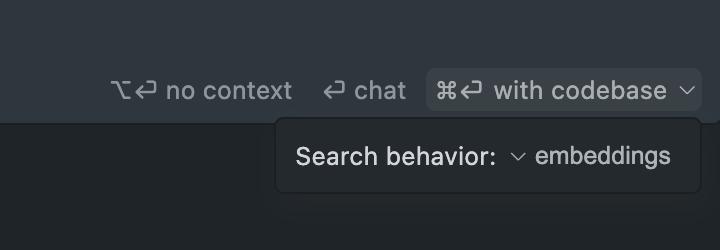
Cursor’s logic involves indexing and vectorizing all the code within the project, so all your questions are answered based on the entire project. It submits your queries along with the entire project’s code to the LLM, utilizing the following models by default:
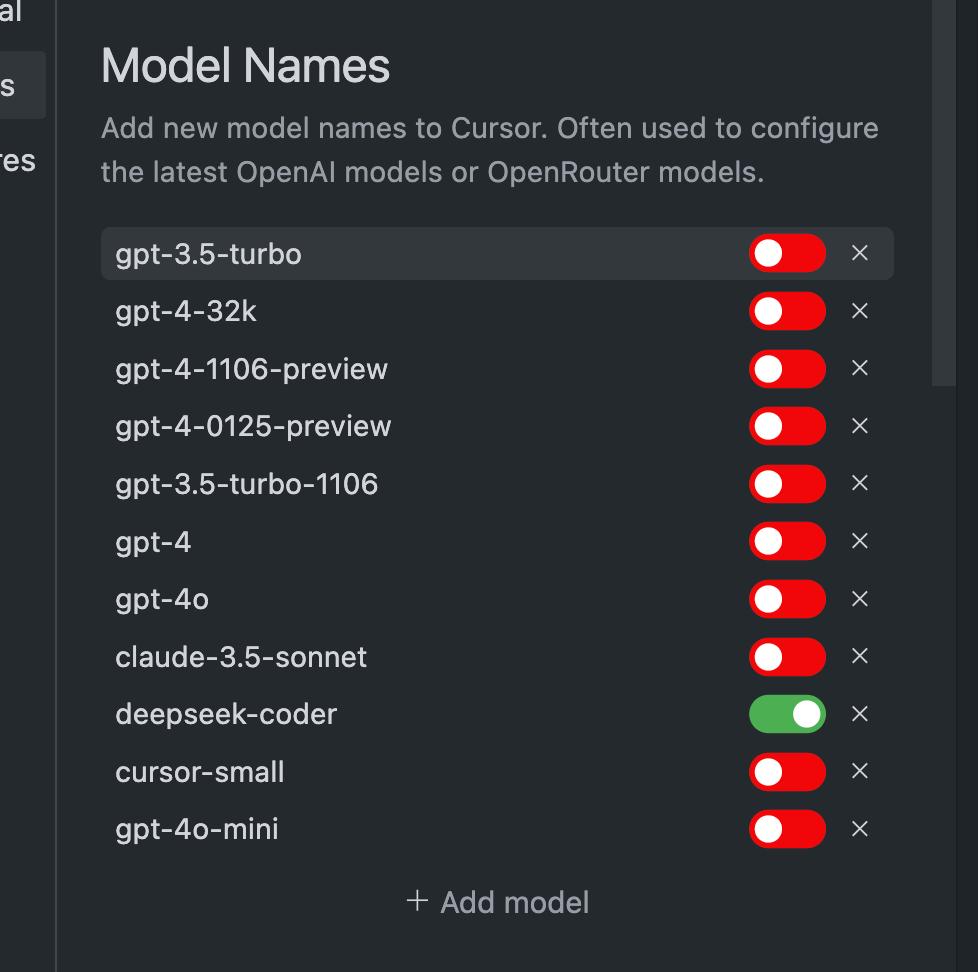
Note that this does not include DeepSeek-Coder, which I added myself.
This resembles a system implementation based on the RAG methodology, except that the external knowledge base is the codebase.
This is what I consider the most crucial feature. Now, let’s discuss what can be achieved based on this functionality, which is the most exciting part.
Problems Solved
Code Completion
Previous tools provided code completion using LLMs, but it wasn’t very accurate since they only considered the current file as context. In contrast, Cursor’s codebase is based on the entire project, allowing its code completion to provide suggestions based on the analysis of your entire project’s code, resulting in remarkable accuracy. This is why some users say that when coding with Cursor, they can simply press Tab and get results better than what they could write themselves—it’s almost automated programming.
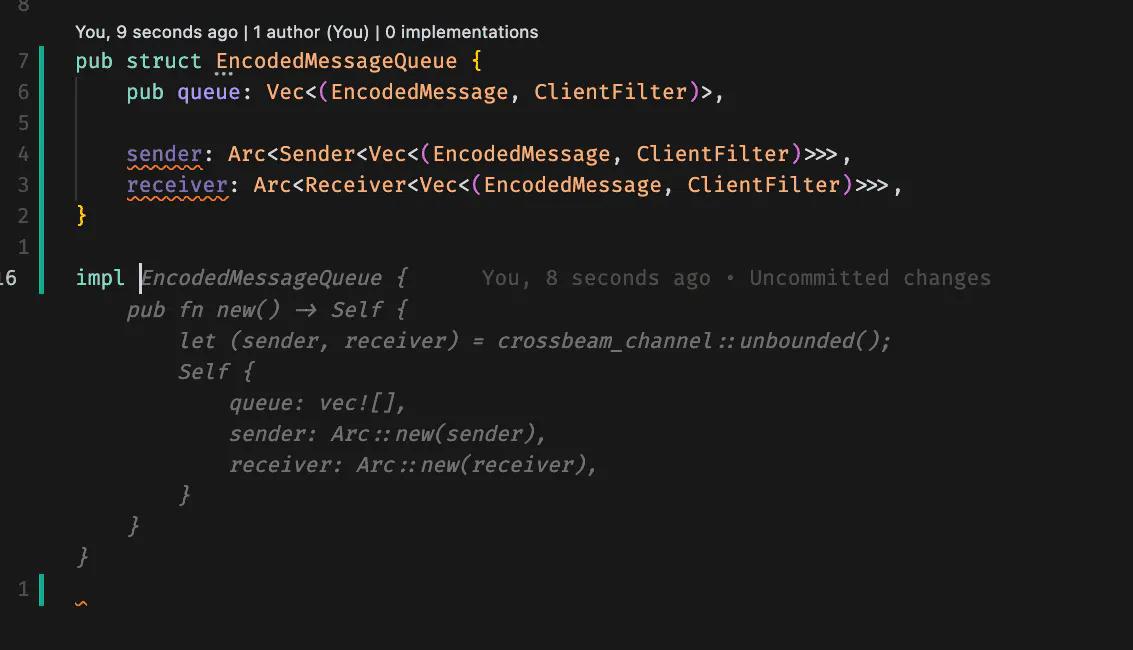
Intelligent Error Correction
You can confidently write code, knowing that if you make a mistake, Cursor will automatically correct it as you type.
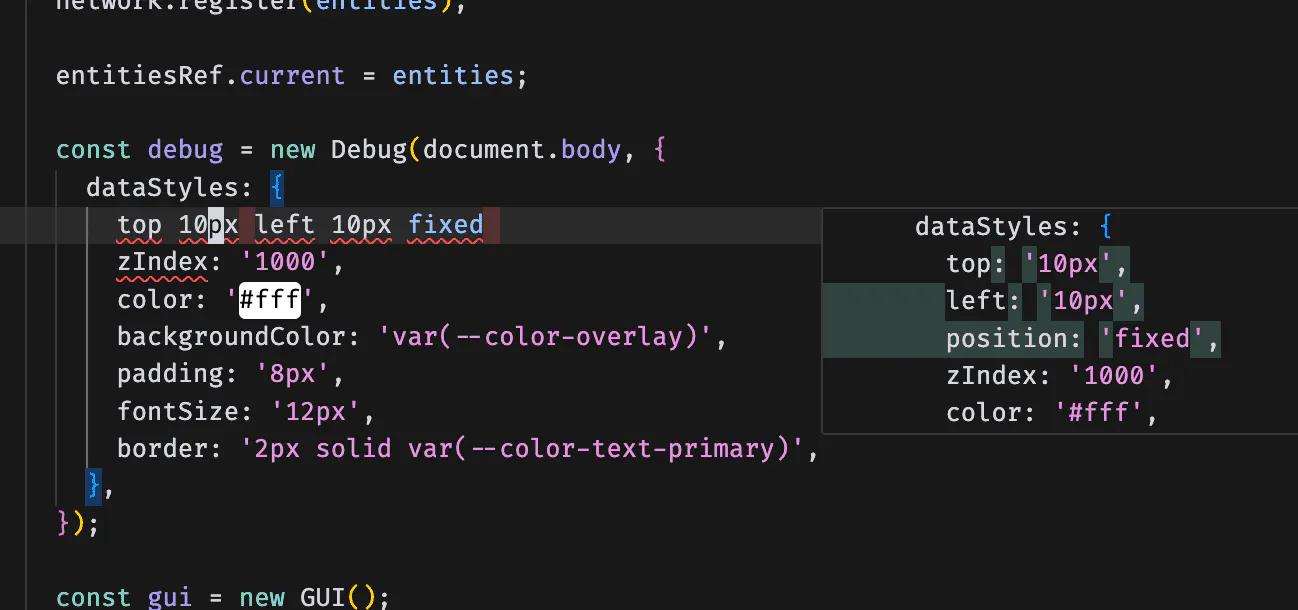
How does it know when you’ve made an error? Again, it’s the codebase; it understands your entire project thoroughly.
Chat Functionality
This is a fundamental feature, but due to the codebase, it opens up infinite possibilities. You can ask questions about specific parts of the current file, such as when you want to refactor a method.
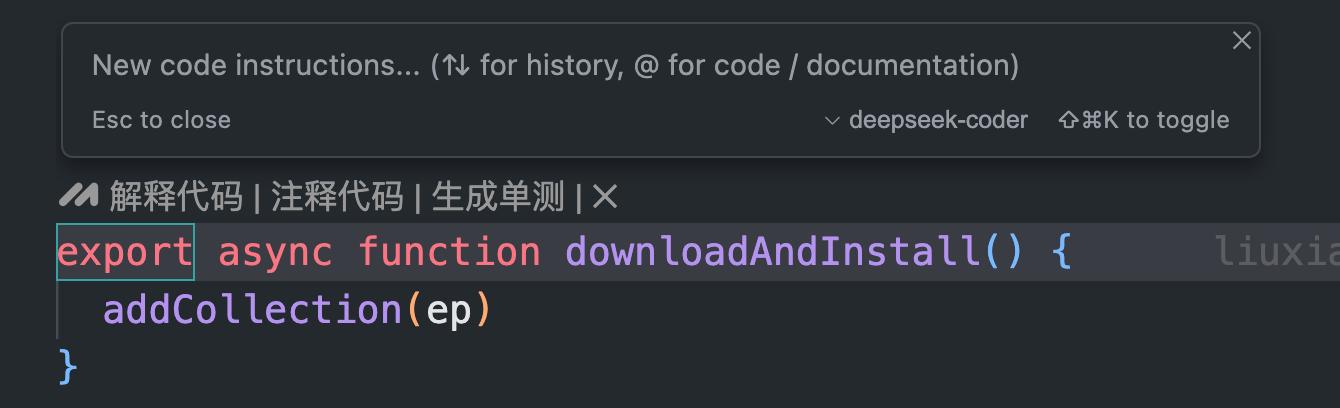
It will provide good refactoring suggestions because its codebase encompasses the entire project.
You can also open a separate chat window.
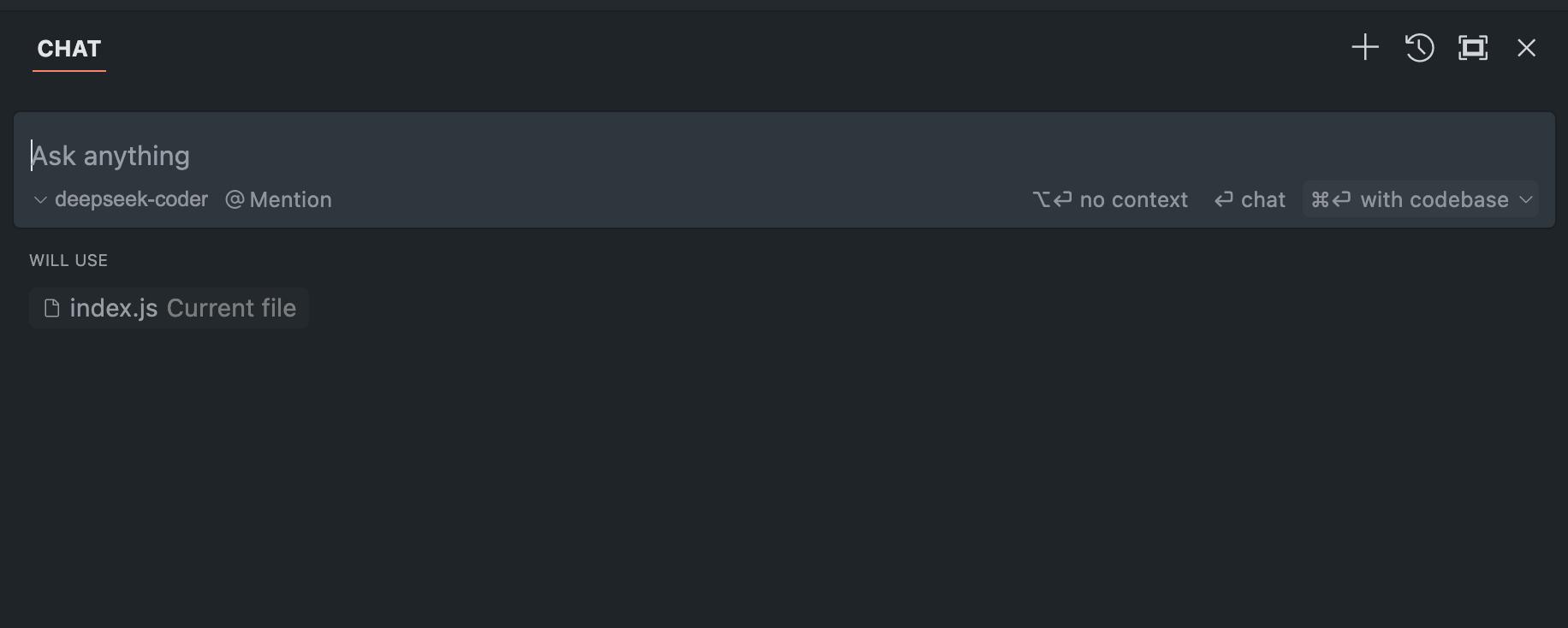
Here, you can ask questions that pertain to the current file, folder, image, document, network, or the entire codebase.
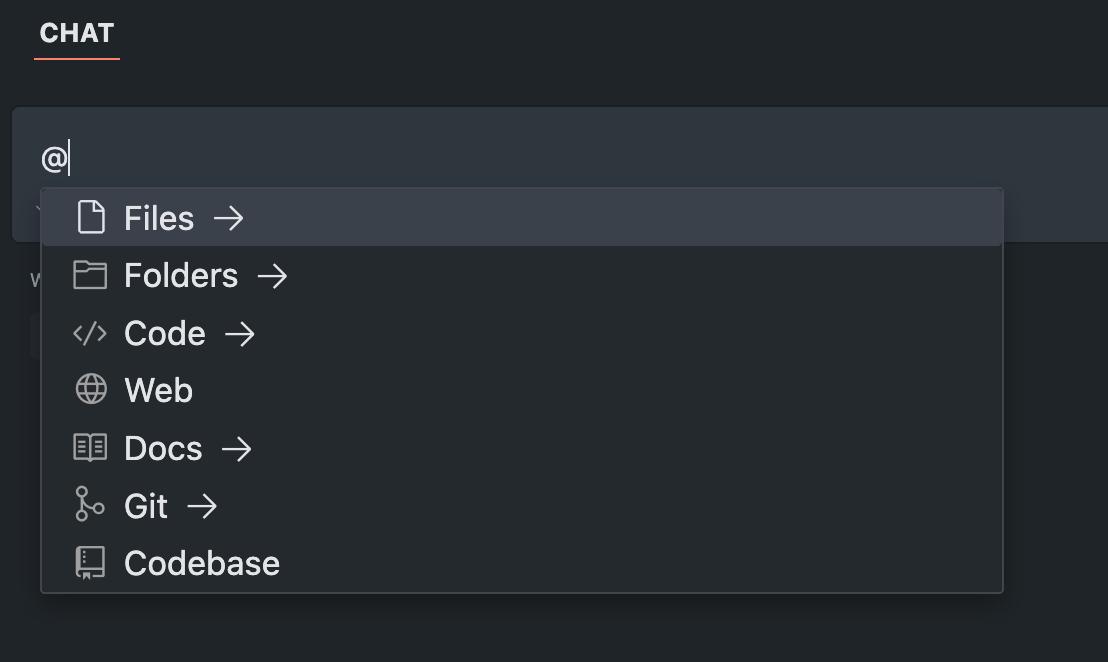
The most important aspect is that this codebase allows for limitless imagination.
Due to space constraints, I won’t detail every feature with images or videos, as there are too many. However, from my descriptions, you can grasp Cursor’s power. Here are a few examples that I have successfully tested and used in my work:
- As the main developer of a project, I wanted to refactor a specific feature—not just a class or file, but the entire feature. I asked Cursor for specific suggestions and code modifications. It delivered, providing very specific, clear, and detailed responses with over 95% accuracy (using the Claude model).
- I have an outdated project with almost no comments or interface documentation. I wanted to analyze the code to create an API documentation that includes endpoints, request types, request and response fields, and example JSON. Cursor accomplished this, delivering exactly what I needed with 100% accuracy.
- A junior colleague recently joined the project and was unfamiliar with the process for the feature he was responsible for. Unfortunately, the project lacked documentation, so he needed to understand the code. He asked Cursor to outline the complete process for OAuth2 authentication and authorization in the project, starting from the first request to the final data return, including all relevant code snippets and execution paths. Cursor completed this instantly with 100% accuracy.
- A testing colleague wanted to write test cases and reports for an important module. Cursor helped him implement this step by step based on the entire project’s codebase.
- A frontend colleague uploaded a well-designed interface image and asked Cursor to generate the page code based on his Vue2 project. Cursor completed this instantly, achieving an 85% similarity to the image.
- A big data developer was refactoring previously written SQL. After providing Cursor with the table creation statement, he asked it to refactor a batch of SQL files according to his requirements, and Cursor quickly completed this.
- An operations colleague had previously automated all operational tasks with code. In a repository, after some changes to the infrastructure, he asked Cursor to refactor based on the existing operational scripts and code. Cursor completed this instantly with 90% accuracy.
- A product colleague mentioned that he no longer uses Axure for prototyping; instead, he can communicate with Cursor to generate frontend code. After learning some basic knowledge, he managed to complete the prototype in minutes.
- A friend of mine is currently converting a .NET project to Java. Initially, he estimated that he would need a team of at least five backend developers, but now he is progressing step by step using Cursor.
- I have another friend…
I believe you understand what I am trying to convey and why I am so excited about Cursor. All these reasons stem from its most important principle: its codebase, which differentiates it from other products.
Cursor certainly has other features that I haven’t covered, but those are less important. You now understand its logic, core principles, and functionalities; the rest is up to your imagination and creativity.
Advantages and Disadvantages
The above content highlights Cursor’s advantages, but you may also have concerns about various issues. Firstly, there is data security. Although Cursor officially claims that data is stored locally and not uploaded, I know you might still worry about this. It’s an interesting dilemma because, regardless of promises, you may not fully trust them; privacy and convenience are always two sides of the same coin, and we can’t have it all, so compromises must be made.
Then there’s the pricing. Cursor was free for the first two weeks, but after that, it requires payment. What does the pricing look like?
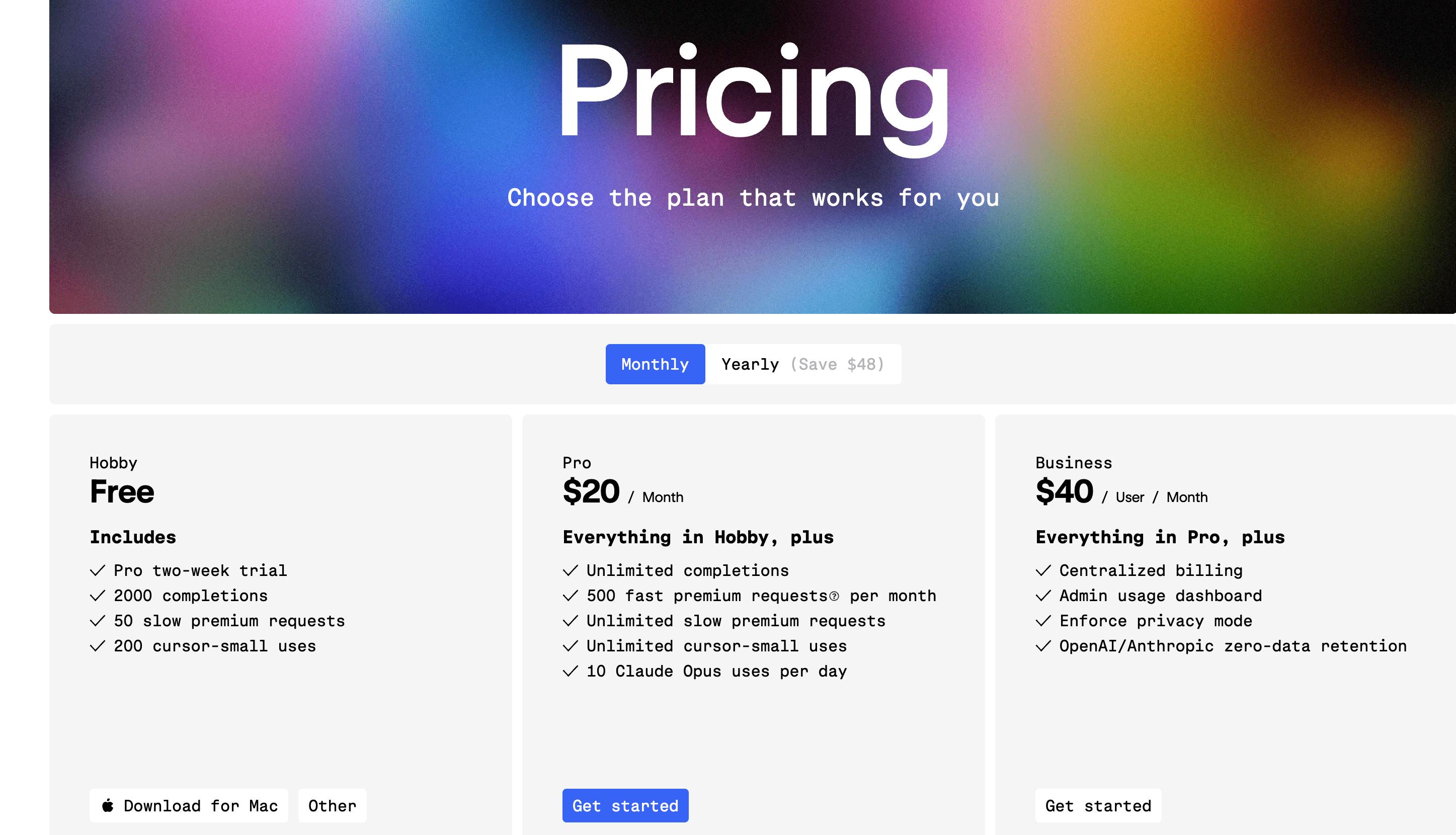
To summarize, using Cursor involves two parts of costs: one is the software fee, which could be around $20 per month paid to Cursor, and the other is the model usage fee, which you pay to model providers like OpenAI. So, the total monthly cost could easily exceed $30. However, regarding the model, since Cursor allows the addition of the DeepSeek coder model, the model usage cost is significantly reduced, as DeepSeek’s API is very affordable.
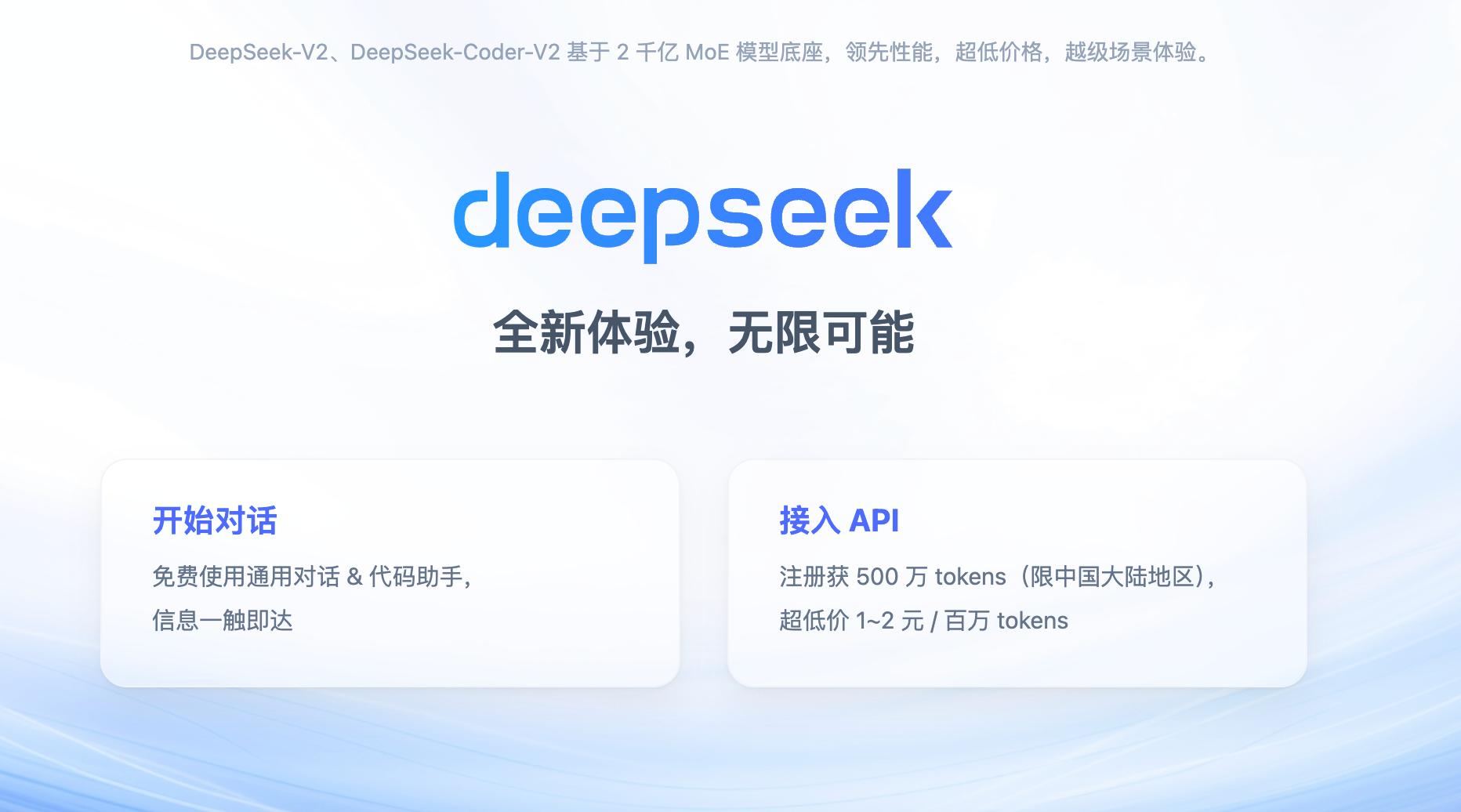
Not only is it affordable, but they also offer 5 million tokens for free upon first registration.

In summary, aside from advantages, there are drawbacks, including:
- High costs
- Data security concerns
These two factors may deter many users. Additionally, network issues need to be addressed. However, I believe that companies in China will not remain idle and will quickly launch similar products, at which point network issues will no longer be a problem.
Future Outlook
As I stated in my title, seeing Cursor has genuinely made me feel that programmers face a crisis, especially for junior and novice programmers. Although my use of tools may introduce minor errors, they can instantly complete basic tasks that could easily replace human labor. I no longer need to hire many people for “dirty and tedious work”; I only need a few advanced developers who can utilize advanced tools, as their productivity is more than ten times that of the previous workforce.
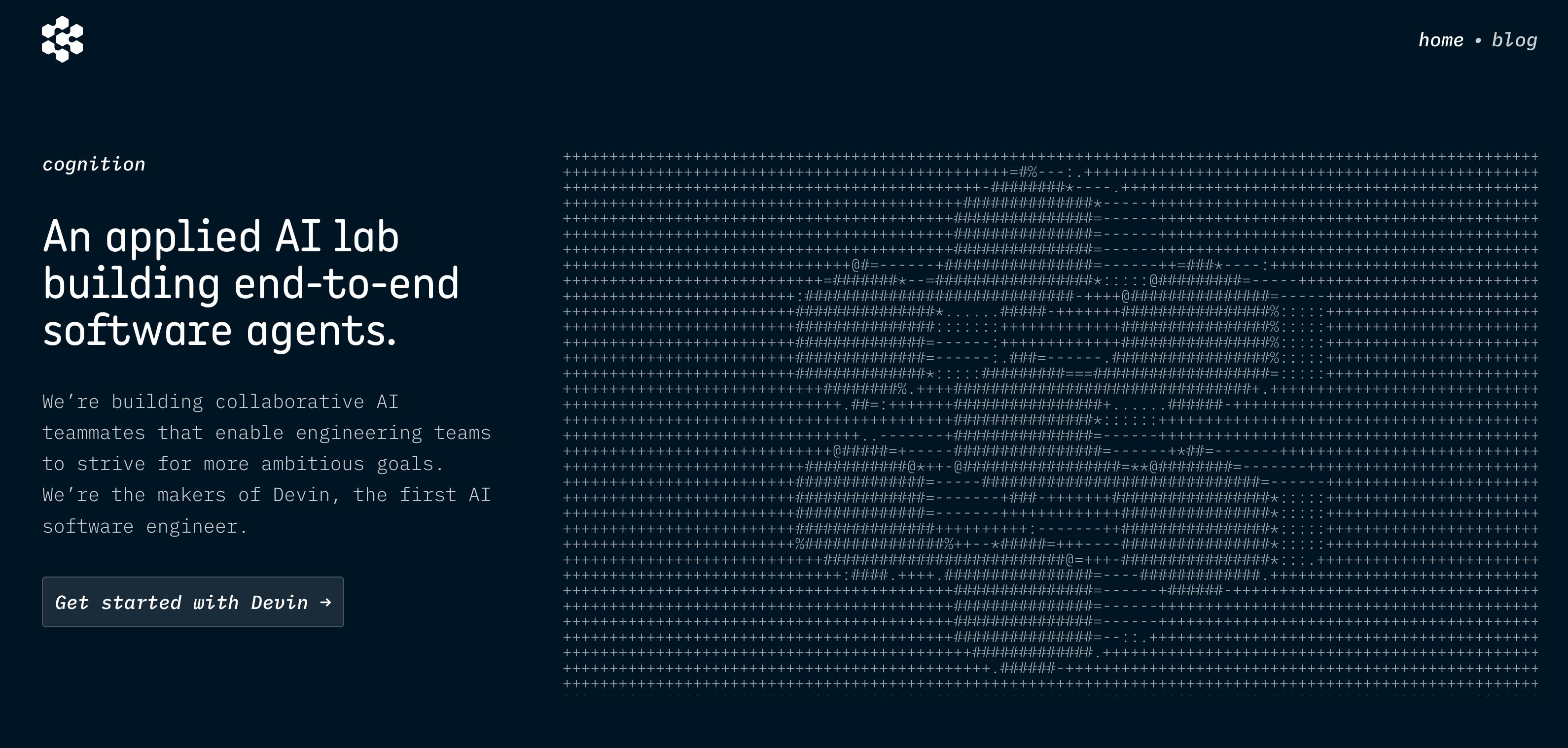
Could we expect automated programming in the future? This means providing a clearly described requirement to AI, and it can automatically write the program. Some companies are already working on this: https://www.cognition.ai/. Initially, I thought they were exaggerating, but especially after using Cursor, I believe it may not be far off.
Reflection
In recent years, I have pondered a question: many enterprises lack a business knowledge base, and even if they have one, the documentation is often incomplete and not timely updated. This so-called internal business knowledge base is often ineffective. So, what should be done when understanding the business is necessary? For instance, during major version updates or significant business adjustments, what should be done? Consulting developers for code is the most accurate way, but this burdens developers with additional work.
After much thought, I feel there isn’t a very good solution. While RAG can address some issues, it doesn’t fully resolve them because if the documentation isn’t up to date or has problems, all analyses based on the knowledge base will be incorrect. Until Cursor appeared, I felt that the problem could be approached differently. Since code is accurate, even if it contains bugs, it is still code. The state of the code in production reflects the business accurately.
Thus, the entire enterprise’s business knowledge is already embedded in the code; it just needs to be extracted from the code repository. By leveraging Cursor or similar tools in the future, we can refine this to extract accurate, real-time, and usable business knowledge for the enterprise. This “knowledge” is the true business asset of the enterprise. Even if the code disappears, the business can be rebuilt based on it. Conversely, if you lack business understanding, having the code is of no use.
Comments
Discussion is powered by Giscus (GitHub Discussions). Add
repo,repoID,category, andcategoryIDunder[params.comments.giscus]inhugo.tomlusing the values from the Giscus setup tool.